
Tech
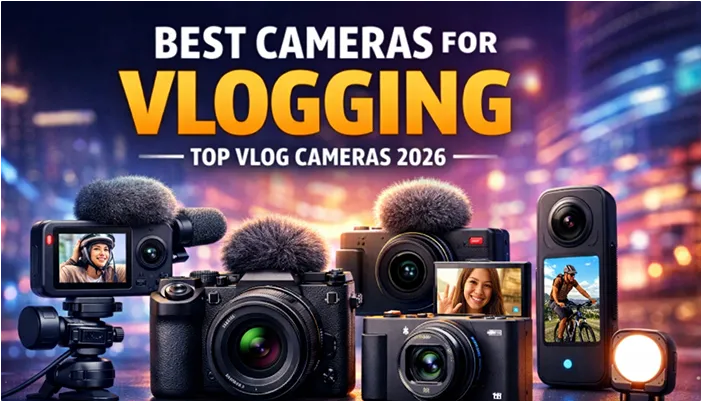
Best Cameras for Vlogging in the USA (2026): How to Choose the Right Camera for Your Content Style

Let’s clear something up right away.
When people search for the best cameras for vlogging, they’re usually hoping someone else has already made the decision for them. A neat list. A simple answer. Maybe a winner crowned at the top.
But vlogging doesn’t work that way. And cameras don’t either.
The truth is, the best camera for vlogging depends on how you create, where you create, and how often you plan to show up on camera. A travel vlogger walking through New York City has very different needs than a creator filming YouTube videos from a spare bedroom in Ohio. A beginner posting once a week doesn’t need the same setup as a full-time creator uploading daily.
That’s why this guide exists.
Instead of throwing specs and brand names at you, this article breaks down what actually makes a camera good for vlogging in 2026, and then matches those qualities to real-world use cases that reflect how creators in the United States actually work.
By the end, you won’t just know which cameras are popular. You’ll know which type of camera makes sense for you.
What Makes a Camera Good for Vlogging in 2026?
Before we talk about recommendations, we need a shared definition of “good.” Because the best cameras for vlogging aren’t necessarily the ones with the biggest sensors or the longest spec sheets. They’re the ones that quietly do their job while you focus on yours.
Autofocus That Keeps Up With Real Life
Vlogging is not a controlled environment. You move. You turn your head. You walk in and out of light. You gesture with your hands. Sometimes you forget the camera is even there, and that’s exactly when it needs to perform.
Modern vlogging cameras rely heavily on face and eye detection autofocus. When it works well, you stay sharp without thinking about it. When it doesn’t, you end up with soft footage you can’t fix later.
For solo creators especially, reliable autofocus is one of the most important features a camera can have. You don’t get a second chance to capture a moment you were living in real time.
Flip-Out Screens That Let You See Yourself
This may sound basic, but it’s still overlooked.
A fully articulating flip-out screen lets you see framing, focus, and exposure while you’re recording yourself. Without it, you’re guessing, and guessing usually leads to cropped heads, missed focus, or awkward angles.
For vlogging, a screen that faces forward isn’t a luxury. It’s a requirement.
Stabilization That Makes Handheld Footage Watchable
Most vloggers aren’t filming from tripods all day. They’re holding the camera, walking, talking, and moving through the world.
That’s why stabilization matters.
Some cameras use digital stabilization. Others rely on optical stabilization or in-body image stabilization (IBIS). The method matters less than the result: footage that doesn’t feel shaky or distracting.
Good stabilization won’t replace a gimbal for cinematic shots, but for everyday vlogging, it can make handheld footage feel smooth and intentional.
Audio Support That Takes You Seriously
Viewers will tolerate imperfect visuals long before they tolerate bad sound.
Built-in microphones are fine for reference audio, but if you talk directly to the camera, you need support for an external microphone. That usually means a 3.5mm mic input or reliable USB-C audio.
If your camera can’t handle clean audio, it doesn’t matter how good the video looks, people will click away.
Battery Life and Heat Management
In the US, vloggers often deal with:
- Long recording sessions
- Outdoor filming in summer heat
- Indoor filming without airflow
- Travel days with limited charging options
A good vlogging camera needs to handle long recordings without overheating and deliver battery life that doesn’t interrupt your workflow every 20 minutes.
These aren’t minor inconveniences. They’re the difference between finishing a shoot and cutting it short.
Size, Weight, and Comfort
The best camera for vlogging is the one you actually enjoy using.
If a camera is too heavy, too bulky, or uncomfortable to hold at arm’s length, you’ll avoid using it. And a camera you avoid using doesn’t matter how good it is on paper.
Comfort is an underrated feature, but it’s often what determines whether a creator sticks with vlogging or quietly gives it up.
Best Cameras for Vlogging Based on How You Create Content
Now let’s match cameras to creators.
Instead of a single “best” option, here are the best cameras for daily vlogging based on different real-world scenarios.
Best Camera for Beginner Vloggers
Beginner vloggers need simplicity more than sophistication.
The best beginner vlogging cameras are:
- Easy to set up
- Intuitive to use
- Lightweight
- Affordable without feeling cheap
They offer reliable autofocus, a flip-out screen, decent stabilization, and good automatic settings so new creators can focus on storytelling instead of menus.
Who this is for:
First-time YouTubers, students, lifestyle vloggers, and anyone upgrading from a smartphone for the first time.
Why it works:
You get consistent results without a steep learning curve, which helps you build confidence and momentum early.
Limitations:
Less flexibility for advanced color grading and professional workflows, but beginners rarely need that at this stage.
Best Camera for YouTube Daily Vlogging
Daily vloggers need a camera that can keep up.
The best cameras for YouTube vlogging emphasize:
- Fast and accurate autofocus
- Comfortable handheld design
- Strong battery life
- Reliable heat management
Daily creators film frequently, sometimes in unpredictable conditions. A dependable camera that works every time beats one with higher-end specs that require careful handling.
Who this is for:
Creators who upload consistently and document their daily lives.
Why it works:
You spend less time managing gear and more time creating content.
Limitations:
These cameras may not offer the deepest manual controls, but daily vloggers rarely need them.
Best Camera for Travel and Outdoor Vlogging
Travel vlogging demands flexibility.
The best travel vlogging cameras are:
- Compact and lightweight
- Well-stabilized for walking shots
- Quick to power on
- Reliable in changing lighting conditions
When you’re filming on the move, through airports, city streets, or national parks, you don’t want to think about gear. You want to capture moments as they happen.
Who this is for:
Travel vloggers, adventure creators, and road-trip documentarians.
Why it works:
You can shoot handheld all day without fatigue or setup time.
Limitations:
Smaller cameras may struggle in very low light, but modern sensors have improved significantly.
Best Compact Camera for On-the-Go Vloggers
Some creators want something better than a phone, but not by much.
Compact vlogging cameras offer:
- Noticeably better image quality than smartphones
- Dedicated controls
- Built-in stabilization
- A pocket-friendly form factor
They’re ideal for creators who value discretion and speed.
Who this is for:
City vloggers, lifestyle creators, commuters, and creators who vlog casually but consistently.
Why it works:
You get better video quality without carrying a camera bag.
Limitations:
Limited lens options and smaller sensors compared to interchangeable-lens systems.
Best Camera for Home and Studio Vlogging
If you vlog primarily indoors, your priorities change.
The best cameras for home and studio vlogging focus on:
- Sharp image quality
- Good low-light performance
- Reliable autofocus when seated
- Clean HDMI or webcam functionality
Stabilization matters less here. Consistency, clarity, and ease of use matter more.
Who this is for:
Educators, podcasters, commentators, and YouTubers who film talking-head videos.
Why it works:
You can create professional-looking content with a simple, repeatable setup.
Limitations:
These cameras aren’t optimized for handheld or outdoor shooting.
Best Camera for TikTok, Shorts, and Vertical Content
Short-form video has reshaped content creation.
The best cameras for TikTok, YouTube Shorts, and Instagram Reels support:
- Easy vertical shooting
- Fast autofocus
- Quick transfer to smartphones
- Strong colors straight out of camera
Speed matters here. The faster you can shoot, edit, and post, the better.
Who this is for:
Social-first creators and multi-platform publishers.
Why it works:
You reduce friction between filming and posting.
Limitations:
Some traditional cameras still prioritize horizontal video workflows.
Best Professional Camera for Full-Time Vloggers
Professional vloggers don’t just record, they produce.
These cameras offer:
- Interchangeable lenses
- Advanced video codecs
- Greater dynamic range
- Professional audio support
They reward creators who understand their tools and want footage that holds up under heavy editing.
Who this is for:
Full-time creators, filmmakers, and advanced YouTubers.
Why it works:
You get maximum creative control and long-term scalability.
Limitations:
Higher cost, heavier gear, and a steeper learning curve.
Camera vs Smartphone for Vlogging in 2026
This question comes up constantly, and the answer isn’t as dramatic as the internet makes it seem.
Yes, smartphones are excellent for vlogging.
If you:
- Create short-form content
- Film casually
- Prioritize convenience
- Post mainly to social platforms
…a modern smartphone may be more than enough.
But dedicated cameras still have clear advantages when:
- You film long videos
- You want better background separation
- You rely on external microphones
- You need consistent results without overheating
- You care about workflow and control
For many creators in the US, upgrading from a phone to a camera isn’t about quality alone, it’s about commitment. A dedicated camera signals intention. And intention often leads to consistency.
Common Mistakes People Make When Choosing a Vlogging Camera
Let’s save you from common regrets.
- Focusing only on resolution
4K doesn’t matter if your footage is shaky or out of focus. - Ignoring audio quality
Bad sound drives viewers away faster than bad lighting. - Buying heavy gear for daily use
If it’s uncomfortable, you won’t use it. - Overpaying for features you don’t need
Specs don’t create content, habits do. - Not thinking long-term
Your first camera should support growth, not limit it.
How to Choose the Right Vlogging Camera for Your Needs
Here’s a simple way to decide.
-
Match the Camera to Your Platform
Long-form YouTube, short-form social, or hybrid creators all have different needs.
-
Set a Realistic Budget
Entry-level cameras are more capable than ever. You don’t need to overspend to start well.
-
Think Beyond the First Month
Consider accessories, lenses, and how the camera fits into your future goals.
Final Thoughts
The best cameras for vlogging aren’t defined by hype, price tags, or brand loyalty.
They’re defined by fit. When a camera fits your life, your workflow, and your creative goals, it fades into the background, and your voice comes forward. That’s when content gets better. That’s when consistency becomes easier.
Choose the tool that supports how you create today, and lets you grow tomorrow.


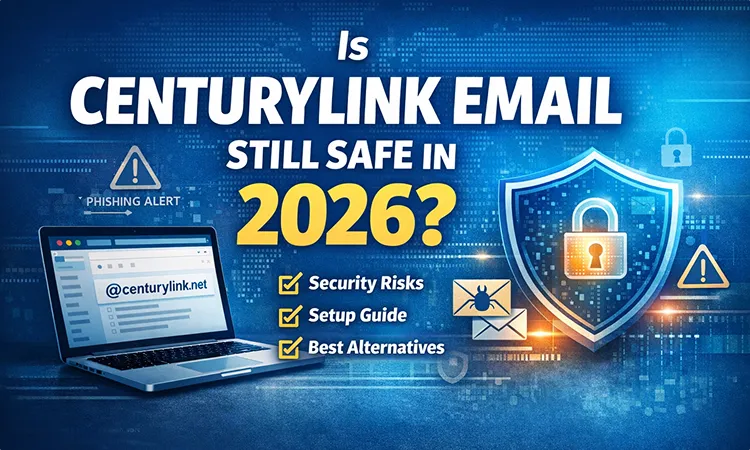
Email is still a core part of daily life—whether it’s banking alerts, subscriptions, or business communication. But if you’re still using a CenturyLink email account, one question matters more than ever:
Is CenturyLink email still safe in 2026?
The short answer: It works, but it’s no longer the best option.
Let’s break it down clearly.
What Is CenturyLink Email?
CenturyLink is a U.S.-based internet service provider that historically offered email accounts to its customers.
A typical address looks like:
➡️ yourname@centurylink.net
This type of email is known as an ISP-based email, meaning it was bundled with your internet service—not designed as a standalone platform like Gmail or Outlook.
Today:
- Mostly existing users still use it
- It’s no longer a primary focus of the company
- New users rarely choose it
Is CenturyLink Email Still Safe in 2026?
Let’s be honest: It’s relatively safe—but outdated compared to modern email platforms.
1. Limited Security Features
Modern services like Gmail and Outlook offer:
- AI-powered spam filtering
- Advanced phishing detection
- Real-time security alerts
CenturyLink email, on the other hand, provides:
- Basic spam filtering
- Limited protection against evolving threats
2. Platform Changes & Migration
In recent years, CenturyLink has transitioned parts of its email infrastructure to Brightspeed in certain regions.
This has led to:
- Login and access issues for some users
- Confusion around account management
- Occasional reliability concerns
3. Common Security Risks
Users may face higher exposure to:
- Phishing emails that are harder to detect
- Weak password vulnerabilities
- Less robust account recovery systems
👉 Bottom line:
It’s usable for basic communication, but not ideal for sensitive or professional use.
Common CenturyLink Email Problems
Many users report recurring issues such as:
- Login errors or failed authentication
- Emails not syncing with apps like Gmail or Outlook
- Slow performance or server downtime
- Password reset delays
- Temporary account lockouts
These problems often increase during system updates or migrations.
How to Set Up CenturyLink Email in Gmail (Recommended)
If you want better security without losing your email, a smart solution is to connect your CenturyLink email to Gmail.
Step-by-Step Guide:
- Open Gmail
- Go to Settings → Accounts and Import
- Click “Check mail from other accounts”
- Enter your
@centurylink.netemail - Add POP/IMAP server settings
- Complete the setup and sync
Why this helps:
- Strong Gmail spam filtering
- Better user interface
- Reliable syncing across devices
Should You Keep or Switch Your CenturyLink Email?
✅ Keep it if:
- It’s linked to old accounts or subscriptions
- You still receive important messages on it
- You plan to transition gradually
❌ Switch it if:
- You need stronger security
- You use email for business or financial purposes
- You experience frequent login or performance issues
👉 Honest recommendation:
For long-term use, switching is the smarter choice.
Best Alternatives to CenturyLink Email
If you’re ready to upgrade, these are the top options:
1. Google Gmail
- Industry-leading security
- Smart spam and phishing detection
- Seamless integration with apps and devices
2. Microsoft Outlook
- Ideal for professional use
- Built-in calendar and productivity tools
- Clean, modern interface
3. Proton AG ProtonMail
- Privacy-first email service
- End-to-end encryption
- Strong data protection standards
CenturyLink Email vs Modern Email Services
| Feature | CenturyLink | Gmail | Outlook |
|---|---|---|---|
| Security | Basic | Advanced | Advanced |
| Spam Protection | Limited | Strong | Strong |
| User Experience | Outdated | Modern | Modern |
| Reliability | Moderate | High | High |
Final Verdict
CenturyLink email is still functional—but in 2026, it’s clearly behind modern standards.
If you care about:
- Security
- Reliability
- Long-term usability
👉 Switching to a modern email provider is the better move.
However, if you want to keep your existing address, using it through Gmail is a practical middle-ground.
FAQs
Is CenturyLink email being discontinued?
Not completely, but it is gradually being transitioned and reduced in priority.
Can I still use my @centurylink.net email?
Yes, but performance and security may not match modern providers.
What is the safest alternative to CenturyLink email?
Gmail and Outlook are the most secure mainstream options, while ProtonMail is best for privacy.

In today’s fast digital age, keeping up with technology is no longer a choice—it is something we all need to do. This is where Whatsontech becomes important. Whatsontech is growing as a trusted and helpful technology platform that connects complex tech ideas with everyday readers. As artificial intelligence, smart devices, cloud services, cybersecurity risks, and digital change continue to grow, platforms like Whatsontech help explain these topics in a simple and useful way.
Whatsontech shares clear, researched, and meaningful content across many areas of technology. Instead of confusing readers with difficult technical words, it explains ideas in a simple way while still giving useful information. Because of this balanced style, the platform is helpful for students, working professionals, business owners, and anyone interested in technology.
One of the biggest strengths of Whatsontech is how it mixes fresh updates with thoughtful explanations. It does more than just report what is trending. The platform also looks at how new technology changes daily life, businesses, and different industries. At a time when wrong information spreads quickly online, having a trusted place for organized and clear content is more valuable than ever.
The Purpose and Direction That Guide Whatsontech
Every strong digital platform begins with a clear purpose, and Whatsontech is built on one main idea: helping people learn. Technology moves very quickly, and many people find it difficult to follow these changes. Whatsontech tries to solve this problem by sharing content that is structured, easy to read, and interesting enough to encourage curiosity.
Its goal is not only to share technology news. Whatsontech also wants to build a group of readers who truly understand the tech world. The platform explains what is happening, why it matters, and what could happen in the future. By looking at real-life uses of technology and possible outcomes, it helps readers gain deeper knowledge.
Accessibility is another important part of its mission. Many people do not have a technical background, and that should not stop them from learning about technology. Whatsontech makes sure readers with basic knowledge can still understand topics like artificial intelligence, blockchain, and cybersecurity. This open and friendly style helps the platform reach more people and build trust.
Different Technology Topics Shared on Whatsontech
One reason Whatsontech is gaining attention is its wide range of technology topics. Instead of focusing on only one area, the platform explores different parts of the digital world.
A main category is technology news. Readers can learn about new inventions, product releases, and important updates in the industry. This includes news about smartphones, laptops, wearable gadgets, software tools, and business technology solutions. By sharing timely updates, Whatsontech helps readers stay aware of major changes happening in technology.
Artificial intelligence and automation are also key topics. AI is changing many industries, including healthcare, finance, and education. Because of this, people need simple explanations they can trust. Whatsontech discusses AI tools, machine learning progress, automation trends, and even the ethical questions connected with smart systems. These articles help readers see both the benefits and the possible risks of AI.
Cybersecurity is another important focus area. As online threats grow more advanced, both individuals and companies must understand how to stay safe online. Whatsontech shares helpful insights about protecting data, keeping personal information private, avoiding malware, and using safer digital habits. This kind of guidance is very useful today, when data leaks and hacking attacks happen more often.
Why the Tech World Is Starting to Notice Whatsontech
The growing interest in Whatsontech comes from a few clear reasons. The most important one is the quality of its content. Today’s readers are more careful about what they read online. They want information that feels honest, clear, and dependable. Whatsontech shares articles that are well organized, carefully researched, and easy to understand, which helps readers trust the platform.
Another reason for its growth is regular publishing. Technology changes very quickly, and people want the latest updates. Whatsontech keeps sharing new articles and insights, so readers can learn about current trends instead of old news.
What also makes the platform stand out is its simple and honest approach. Many websites use dramatic headlines just to get clicks. Whatsontech chooses a different path by focusing on useful information rather than hype. This helps the platform build strong and lasting credibility.
Search engines have also helped more people find Whatsontech. The articles are well optimized, so readers can quickly reach helpful information. But what truly keeps visitors coming back is the depth and clarity of the content they find there.
How Whatsontech Helps People Learn Tech in the Digital Age
Today, knowing technology is almost as important as traditional education. Schools and universities cannot update their courses fast enough to follow real technology changes. This learning gap is where Whatsontech becomes useful.
Whatsontech helps people learn by explaining new technologies in clear and simple ways. Students exploring AI, blockchain, or cybersecurity can build basic knowledge through easy articles. Professionals who want better skills can read trend insights and practical ideas to remain competitive today.
Business owners and entrepreneurs also gain value when they understand digital change. Whatsontech shows how technology can simplify work, improve customer experiences, and support new ideas. This guidance helps leaders make smarter choices and plan strategies.
In short, Whatsontech acts like a digital classroom, giving people steady learning chances outside traditional schools today.
Making Tech Content Easy and Enjoyable to Read
One of the biggest strengths of Whatsontech is its easy-to-read writing style. Technical topics can feel confusing when they are not explained clearly. That is why the platform focuses on simple sentences, a smooth flow of ideas, and well-organized sections.
Instead of using heavy academic language, Whatsontech writes in a friendly but professional tone. This style keeps readers interested and makes the information easier to understand. People can move through each topic without feeling confused or overwhelmed.
Readability also shapes how every topic is organized. Each subject begins with a helpful background, then moves into a clear explanation, and finally includes examples or real-life uses. This step-by-step structure helps readers understand the ideas better and remember them for longer.
Why Readers Feel Confident About Whatsontech
Today, false information spreads very fast online, so trust is very important. Whatsontech works hard to stay reliable by sharing correct facts and careful reporting. The articles aim to teach and guide readers, not confuse them. The platform also avoids using claims that are not proven.
Whatsontech is also open when talking about the limits and risks of technology. For instance, when writing about artificial intelligence, it may explain the good possibilities as well as the ethical issues. This fair and honest approach helps build strong authority and credibility.
Trust does not appear overnight; it grows slowly with steady quality. When readers often discover helpful ideas on Whatsontech, they start to rely on it more. Over time, this growing trust gives the platform a strong advantage in the busy world of tech media.
What’s Next for Whatsontech: New Paths to Grow
The road ahead for Whatsontech looks bright. Technology keeps changing every day, and more people want simple and helpful content to understand it. New fields like quantum computing, augmented reality, green technology, and digital ethics open many chances for the platform to grow.
There is also room to add more types of content. Video guides, podcasts, and interactive posts could make the experience more engaging for readers. Community ideas—such as discussion forums or expert interviews, may also help build stronger connections between readers and the people who share their knowledge.
Reaching readers around the world is another exciting step. By sharing tech news from different countries and adding insights for specific regions, Whatsontech could welcome a much larger audience.
As more industries move through digital transformation, people will keep looking for clear explanations and real context. Platforms that make technology easier to understand will stay valuable, and Whatsontech is in a strong place to grow with the future of innovation.
Final Thoughts: Why Whatsontech Guides Today’s Digital World
Technology touches almost every part of daily life, from how we talk and learn to how we work, shop, and relax. In this digital world, clear and trustworthy information matters a lot. Whatsontech works like a friendly guide through technology.
With helpful articles, simple explanations, and careful insights, Whatsontech helps readers understand the world of technology with more confidence. It shares news but also builds understanding. It shows tools yet also explains their effect on life. And it watches trends, then helps readers understand them.
As competition in tech media becomes stronger, platforms need to stand out with quality, honesty, and real value. Whatsontech shows these strengths and is growing into a trusted voice in technology publishing.
For people who want clear guidance in the fast moving world of innovation, Whatsontech remains a place worth following.
Disclaimer
The information shared here about Whatsontech is meant for general information only. We do our best to keep the details accurate and useful, but we cannot promise that everything is complete, fully correct, or always up to date. Unless we clearly say so, this content is not connected to or approved by Whatsontech. We encourage readers to check important details with official sources before making any decisions based on the information shared here.

If you own a website or run a business online, you have likely heard the acronym “SEO” thrown around in marketing meetings or online forums. It often sounds like a magical, mysterious lever you pull to suddenly get thousands of visitors to your site. While it’s not magic, it is powerful.
SEO stands for Search Engine Optimization. At its core, it is the art and science of getting pages to rank higher in search engines like Google. Because search is one of the main ways people discover content online, ranking higher leads to an increase in traffic to your website.
But it’s not just about search engines. Good SEO is about understanding what people are searching for online, the answers they are seeking, the words they’re using, and the type of content they wish to consume. Knowing the answers to these questions will allow you to connect to the people who are searching online for the solutions you offer.
Here is a breakdown of what SEO actually entails and why it matters for your business.
Why SEO Matters
Imagine you open a coffee shop. You have the best beans, the most skilled baristas, and a beautiful interior. But, you built your shop in a hidden alleyway with no signage. No matter how good your coffee is, no one will buy it if they can’t find it.
A website without SEO is like that coffee shop in the alley.
Search engines are the primary way users navigate the web. Whether they are looking for a product, a service, or an answer to a question, they start with a search bar. The majority of search engine traffic goes to the top 5 results. If your site isn’t there, you are missing out on potential customers.
The Key Components of SEO
SEO isn’t one single task; it’s a collection of strategies that work together. Here are the main pillars you need to know.
1. On-Page SEO
This refers to everything you do directly on your website’s pages to help search engines understand your content.
- What it involves: Optimizing title tags, meta descriptions, header tags (H1, H2, etc.), and internal links.
- Practical Tip: Ensure every page has a unique title tag that includes the main keyword you want to rank for. If you are selling “vintage leather boots,” those exact words should appear in your page title and your main headline (H1).
2. Off-Page SEO
This focuses on increasing the authority of your domain through the act of getting links from other websites.
- What it involves: Building backlinks. A backlink is a vote of confidence from another site. If a reputable news site links to your blog post, Google sees that as a sign that your content is trustworthy.
- Practical Tip: Don’t buy shady links. Instead, create content that is worth sharing. Reach out to partners or suppliers you work with and ask if they would be willing to feature your business on their “partners” page with a link back to your site.
3. Technical SEO
This is the backend work that ensures search engines can crawl and index your site without issues.
- What it involves: Site speed, mobile-friendliness, site architecture, and security (HTTPS).
- Practical Tip: Use Google’s free “PageSpeed Insights” tool to see how fast your site loads. If it takes more than 3 seconds, you are likely losing visitors—and rankings.
4. Content
Content is the vehicle that carries your SEO efforts. Without high-quality content, there is nothing to optimize.
- What it involves: Blog posts, videos, product pages, whitepapers, and infographics.
- Practical Tip: Don’t just write for robots. Write for humans. Google’s algorithms have evolved to prioritize content that is helpful, clear, and demonstrates expertise. Ask yourself: “Does this article actually answer the user’s question better than the other results?”
5. Keyword Research
This is the process of finding and analyzing search terms that people enter into search engines.
- What it involves: Using tools to find out search volume (how many people search for a term) and competition (how hard it is to rank for it).
- Practical Tip: Avoid “keyword stuffing” (jamming your keyword into a sentence as many times as possible). Instead, look for “long-tail keywords”—phrases that are 3-4 words long. They have less competition and are often more specific. For example, instead of targeting “shoes,” target “best running shoes for flat feet.”
6. User Experience (UX)
Google wants to send users to sites that are easy to use. If a user clicks your link, gets confused by the layout, and immediately leaves (known as “pogo-sticking”), it hurts your rankings.
- What it involves: Clear navigation, readable fonts, and lack of intrusive pop-ups.
- Practical Tip: Look at your site on a mobile phone. Is the text big enough to read without zooming? are the buttons easy to tap? Mobile experience is now a critical ranking factor.
Why Businesses Should Invest in SEO
Investing in SEO is investing in the long-term health of your business. Here is why it should be a priority:
- It Builds Trust and Credibility: Ranking high on Google signals to users that you are a top player in your industry.
- It’s Cost-Effective: unlike paid advertising (PPC), where traffic stops the moment you stop paying, SEO builds organic traffic that can last for years. It requires an upfront investment of time or money, but the ongoing traffic is free.
- It Supports the Buyer’s Journey: By creating content for different stages of the buying cycle (awareness, consideration, decision), you can guide potential customers from their first question all the way to a purchase.
SEO is not a quick fix. It takes time, patience, and consistent effort to see results. But once the momentum builds, it becomes one of the most powerful drivers of growth for your business. Start with the basics, focus on creating value for your users, and the rankings will follow.

Pakistan National Cricket Team vs South Africa National Cricket Team Match Scorecard

What Is ParentPay? A Simple Guide for Parents

Is CenturyLink Email Still Safe in 2026? Security Risks, Setup & Best Alternatives

Can Your Boss Deny Your PTO in California? What State Law Really Allows You finally did it. You checked your calendar. You checked your PTO balance. You submitted

How to Set Up an LLC in Illinois: Step-by-Step Guide for 2026

How to File Response to Eviction Summons Idaho: A Step-by-Step Guide for Tenants


-
 Law9 years ago
Can Your Boss Deny Your PTO in California? What State Law Really Allows You finally did it. You checked your calendar. You checked your PTO balance. You submitted
-
 Law9 years ago
How to Set Up an LLC in Illinois: Step-by-Step Guide for 2026
-
 Law9 years ago
How to File Response to Eviction Summons Idaho: A Step-by-Step Guide for Tenants
-

 Law9 years ago
Affordable Lawyers in Texas That Write a Demand Letter Cheap: Your Complete Guide
-

 Sports9 years ago
Best Choke for Dove Hunting (Opening Day, Early & Late Season)
-

 Law11 months ago
Can You Set Up a Trust Without an Attorney in the US? | A Comprehensive Guide
-

 Law9 years ago
U.S. Passport Renewal Guide 2026: What to Do, When to Apply, and What to Avoid
-

 Law9 years ago
How Much Can a Landlord Charge for a Security Deposit in the USA?